Toyota Sequoia Keys and Fobs
We cut and program Toyota Sequoia keys at your car, anywhere in the Las Vegas valley, 24 hours. Below is every key, remote and fob our supplier lists for it, with the years, buttons and FCC ID.
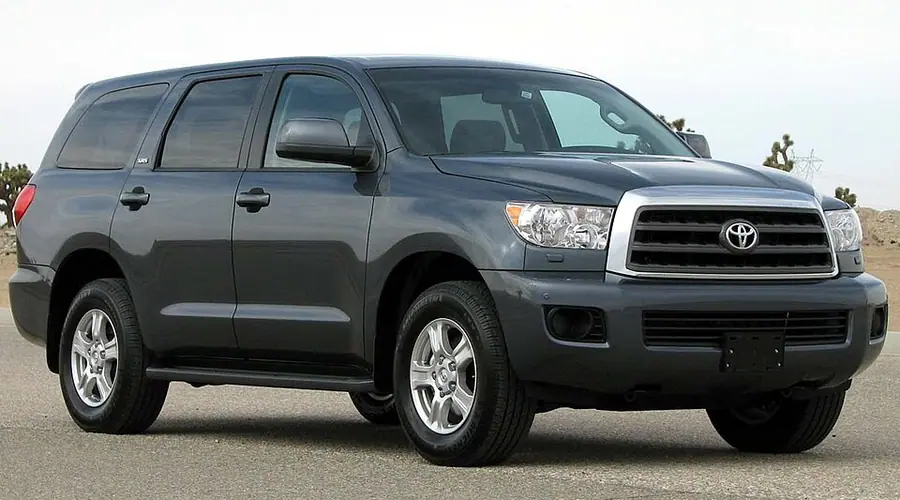
Photo U.S. National Highway Traffic Safety Administration via Wikimedia Commons
Years Sold
2000 to 2026
Key Types
Smart Key, Remote Head Key, Keyless Entry Remote
Parts Listed
18
We Come to You
Cut and programmed at the car
When the Key Changed
The Toyota Sequoia changed keys 3 times in the years our supplier covers. Pick your year range for the keys, the FCC IDs and how programming works for it.
| Years | Keys and Fobs Used | Parts Listed |
|---|---|---|
| 2003 to 2012 | Keyless Entry Remote | 5 |
| 2013 to 2014 | Remote Head Key, Keyless Entry Remote | 4 |
| 2015 to 2019 | Smart Key, Remote Head Key, Keyless Entry Remote | 14 |
| 2020 to 2021 | Smart Key | 4 |
Keys and Fobs by Year
Our parts supplier lists 18 keys, remotes or fobs for the Toyota Sequoia. Find your year, then match the button count and the FCC ID printed on the back of your fob or in your owner manual.
| Years | Key Type | Buttons | FCC ID | OEM Part |
|---|---|---|---|---|
| 2003 to 2007 | Keyless Entry Remote | 4 button | Check your fob | 89742-35050 |
| 2004 to 2016 | Keyless Entry Remote | 4 button | Check your fob | 89742-AE020 |
| 2008 to 2010 | Keyless Entry Remote | 3 button | GQ43VT20T | Not listed |
| 2008 to 2017 | Keyless Entry Remote | 4 button | GQ4VT20T | Not listed |
| 2008 to 2019 | Keyless Entry Remote | 3 button | Check your fob | 89742-AE010 |
| 2013 to 2018 | Remote Head Key | 4 button | HYQ12BEL | Not listed |
| 2015 to 2017 | Keyless Entry Remote | 3 button | GQ43VT20T | Not listed |
| 2015 to 2021 | Smart Key | Not listed | HYQ14FBA | Not listed |
| 2016 to 2018 | Smart Key | Not listed | HYQ14FBA | Not listed |
| 2017 to 2019 | Smart Key | Not listed | HYQ14FBA | Not listed |
| 2019 | Remote Head Key | 3 button | GQ4-52T | Not listed |
| 2019 | Remote Head Key | 3 button | Check your fob | 89071-0R040 |
| 2019 | Remote Head Key | 4 button | HYQ12BDM | Not listed |
| 2019 | Remote Head Key | 4 button | HYQ12BEL | Not listed |
| 2019 | Remote Head Key | 4 button | Check your fob | 89070-0R100 |
| 2019 to 2021 | Smart Key | Not listed | HYQ14FBA | Not listed |
| 2020 | Smart Key | 4 button | HYQ14FBA | Not listed |
| 2020 to 2021 | Smart Key | Not listed | HYQ14FBA | Not listed |
Some aftermarket fobs carry a different FCC ID from the factory one, and that is normal. When you call, we check what is on hand in Las Vegas that day.
How Programming Works
Many older Toyotas let you add a remote at home with a door and key routine. On some, you can add a chip key yourself with a working master key and a pedal routine. If every master key is lost, the dealer has to reset the system, and older models may need new immobilizer parts.
| Key Type | Applies To | Can You Add One Yourself? | What It Takes |
|---|---|---|---|
| Keyless Entry Remote | Older Camry, Corolla, Tundra and Sequoia | Remote buttons only | Up to four remotes |
| Smart Key | 2019 to 2021 Avalon, Corolla, RAV4, Highlander and similar | No, it needs a tool | Programming tool through the OBD port; dealer reset approval |
Adding a keyless entry remote yourself (older Camry, Corolla, Tundra and Sequoia). Only if you already have a working one:
- Key out, driver door open.
- Insert and remove the key twice in 5 seconds.
- Close and open the door twice, insert and remove the key, close and open twice more, insert the key and close the door.
- Turn lock to on once for add mode, then pull the key.
- Press lock and unlock 1.5 seconds, then either over 1 second.
Good to know. This only pairs the buttons. A dealer reset erases every registered key so new ones can be added; erased keys can never be reused.
Sources: Las Positas College Automotive Technology, Remote Keyless Entry Programming Chart, Toyota T-SB-0064-18, Smart Key Immobilizer Reset and Add/Remove Key (NHTSA).
Not sure which applies to your car? Call (702) 827-4886 with the year and VIN and we will tell you what it takes before anyone drives out.
What Each Key Type Usually Costs
| Key Type | What It Looks Like | Key or Fob | Programming |
|---|---|---|---|
| Smart Key | A push to start fob that stays in your pocket | $250 to $600 or more | plus $180 to $400 or more to program |
| Remote Head Key | Blade and buttons in one piece | $100 to $220 | plus $70 to $150 to program |
| Keyless Entry Remote | Buttons only, carried with a separate key | $100 to $220 | plus $70 to $150 to program |
Prices come from the Airtasker guide, updated May 19, 2026. Your total depends on the year and whether you have a working key to copy.
Toyota Key Blanks We Cut
- TR40 X174 Toyota Key Blank
- TR47 X217 Toyota Small Head Key Blank
- TR47P TR47PH Toyota Key Blank
- Toyota Camry 92 TR50
- Toyota Camry TR49 Valet/X159
- Toyota Celica 91 TR44
- Toyota Celica 91 TR46
- Toyota Corolla 93 TR53
A blank is the uncut key. We cut it to your locks at the car, then program it if it has a chip.
Before You Call
- Note the year of your Sequoia. It was sold in the US from 2000 to 2026.
- Look on the back of your fob or in your owner manual for the FCC ID, such as GQ4-52T, GQ43VT20T, GQ4VT20T.
- Count the buttons and check whether you press a start button or turn a key.
- Have your VIN, a photo ID and the registration or insurance ready.
- Call (702) 827-4886 and ask for one total price that covers the trip, the key, the cutting and the programming.
Other Toyota Models
4Runner · Avalon · Camry · Corolla · Highlander · Land Cruiser · Prius · RAV4 · Sienna · Tacoma · Tundra · Venza. See every Toyota model.
Quick Answers
Can you make a Toyota Sequoia key with no original?
Yes. Once we confirm the car is yours, we cut a new key to the locks and program it to your Sequoia at the car.
Why do you need my VIN?
The VIN tells us which key and chip the car left the factory with, so the right part comes on the first trip.
Can you get a Toyota Sequoia smart key today?
Call (702) 827-4886 with your year and FCC ID and we will check what is on hand in Las Vegas before anyone drives out.
We Come to Your Car
Your technician in this area is Anthony Walker.